Timing with purpose.
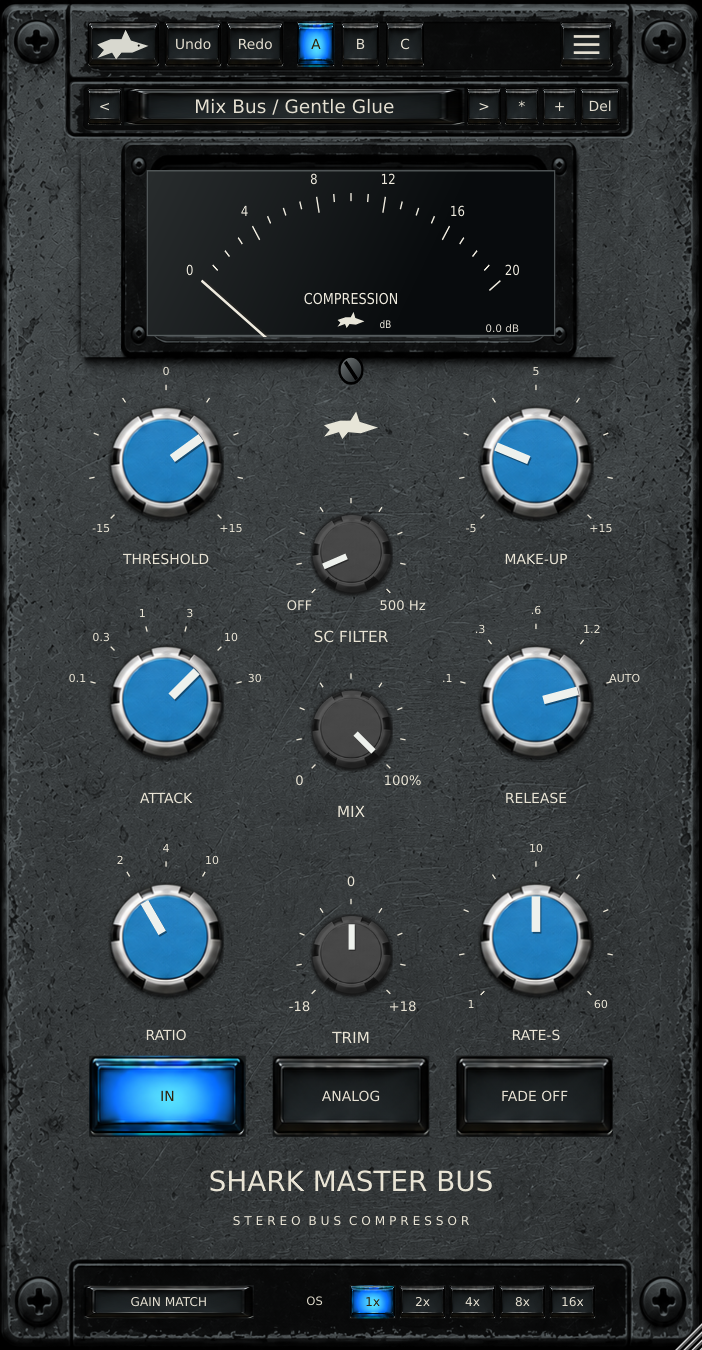
Six stepped attack settings and four release times plus Auto let you set the compressor's response without hunting between values.
TOOLS THAT MOVE SOUND FORWARD.
VINTAGE / STEREO BUS COMPRESSOR
Dial in connected bus compression with stepped timing, a detector sidechain filter and a dry/wet blend. See the gain reduction as you shape the movement.
2:1 / 4:1 / 10:1 · 60 presets · A/B/C · Three finishes
Six stepped attack settings and four release times plus Auto let you set the compressor's response without hunting between values.
Use the 21–500 Hz sidechain filter to change what drives compression while leaving the audible bass intact.
Blend dry and compressed audio with Mix; use Gain Match for a gradual energy-based level comparison. Check output peaks in your DAW.
Explore 60 factory starting points, save user presets, compare A/B/C and switch blue, green and terracotta looks from the logo.
Read the control guide and workflows, or keep the FAQ nearby while you work. The v0.1.7 source awaits Mac and DAW verification.
QUESTIONS, ANSWERED
Timing, detector routing, metering and presets.
Ratio is stepped to 2:1, 4:1 and 10:1. Attack offers 0.1, 0.3, 1, 3, 10 and 30 ms. Release offers 0.1, 0.3, 0.6 and 1.2 seconds, plus Auto.
It high-passes the compressor detector from 21 to 500 Hz, or switches Off. It does not filter the audible signal.
Mix blends dry and compressed audio. Gain Match slowly compares stereo energy to make listening comparisons easier; it is not LUFS or true-peak matching.
Enable external sidechain in the menu and route a compatible host sidechain bus. A silent routed bus produces no compression.
It shows positive gain reduction in dB, not input or output peaks. There is no output limiter, so watch your DAW meter.
Browse 60 factory starting points, save .sharkbus user presets, favorite factory choices and compare three snapshots with A/B/C.
The current v0.1.7 source passed Linux compilation and processor checks. Mac/Xcode and DAW listening tests are pending; a customer installer is not yet confirmed.