Control the envelope.
Choose Clean, Vocal, Bus, Master, Punch or Upward. Combine Manual or ARC release with Electro or Opto behavior and Smooth or Warm tone. Lookahead, Hold and tempo-related release settings extend the timing controls.
TOOLS THAT MOVE SOUND FORWARD.
DIGITAL DYNAMICS / ADVANCED MUSICAL COMPRESSOR
Detailed compression control in a clear digital workspace. Watch input and output history together, follow gain reduction in red, and shape the response with hands-on threshold, ratio, timing, knee and range controls.
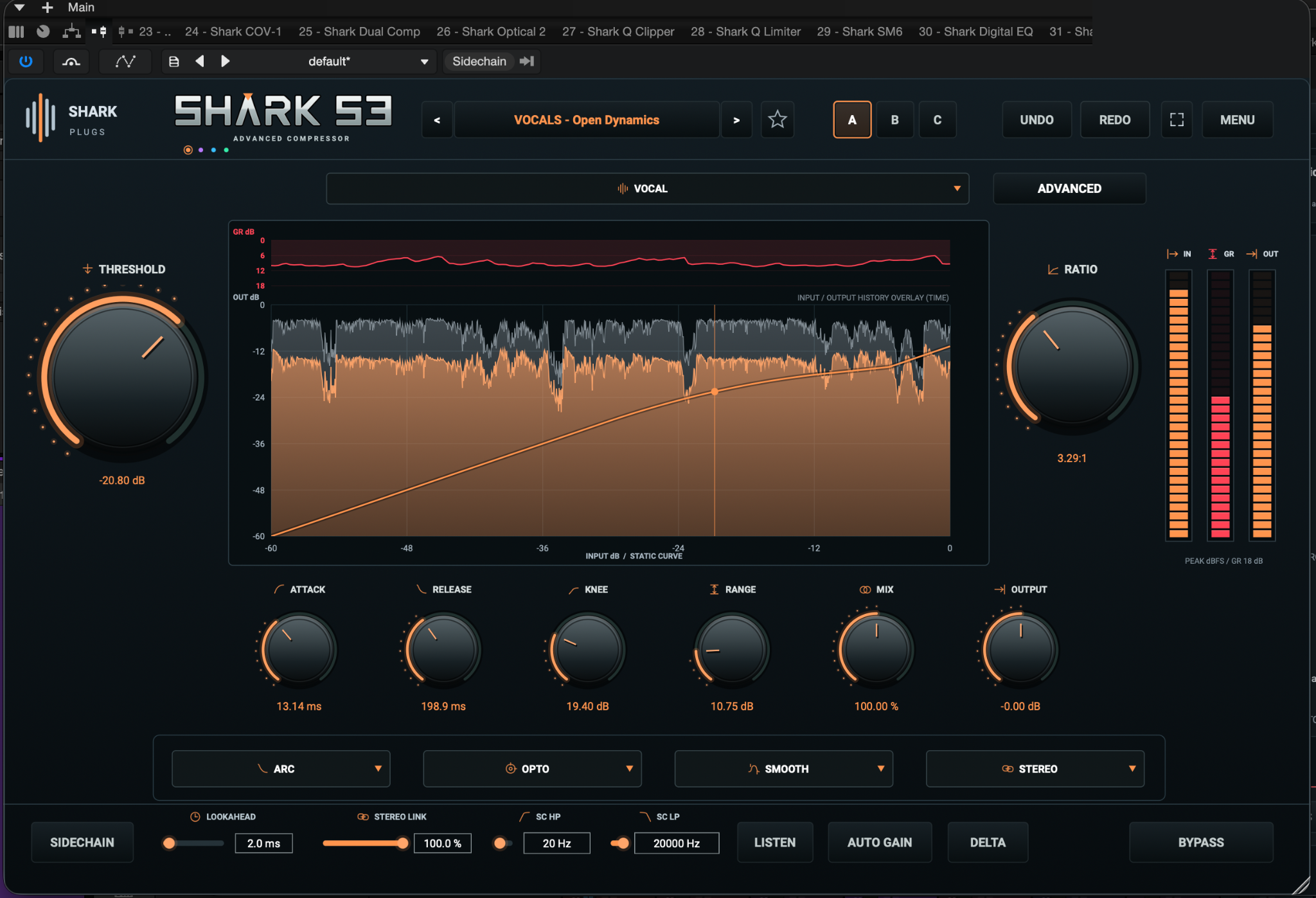
6 styles · 100 presets · Peak / RMS detection · Stereo / Mid-Side · 4 themes
Choose Clean, Vocal, Bus, Master, Punch or Upward. Combine Manual or ARC release with Electro or Opto behavior and Smooth or Warm tone. Lookahead, Hold and tempo-related release settings extend the timing controls.
Shape internal or external detection with high-pass, low-pass and parametric bell filtering. Peak and 10 ms RMS detection follow the signal differently. Use Listen to hear the detector while adjusting it.
Use Stereo or Mid/Side processing, then explore Mid Only, Side Only, Mid triggers Side and Side triggers Mid. Focus processing on the part of the stereo image that needs attention.
Adjust input gain, wet makeup and output level. Blend compression with Mix, or add Soft, Dense or Asymmetric character before or after gain reduction on the wet path.
Start with one of 100 factory presets, mark favorites with the yellow star, compare A/B/C settings and revisit edits with Undo/Redo. Choose orange, purple, blue or green, resize the compact interface or open the expanded view.
The default 100% view is 1008 × 630, with 80%, 120% and 140% zoom options. Roboto is embedded, so no separate font installation is needed.
Explore the six-page operating manual and two-page brochure, or find an answer below.
Installer availability and confirmed system requirements will be announced with the release.
QUESTIONS, ANSWERED
Controls, favorites, sidechain routing and everyday workflow.
A digital compressor with six styles, layered waveform history, sidechain shaping, stereo/Mid-Side controls and optional character processing.
Gray shows input history; the selected theme color shows output history. Red identifies gain reduction. The static transfer curve describes the level relationship; waveform history scrolls through time and does not share the curve's horizontal input-dB meaning.
Click the Shark logo to cycle orange, purple, blue and green. Gain reduction remains red.
Select a factory preset and click the star beside the preset navigation. A yellow star marks a favorite, listed in Favorites in the preset menu. Favorites are saved with the session/instance, not as a global library. A star bookmarks the factory preset; it does not save your edited settings as a new preset. CUSTOM cannot be starred.
The Advanced panel provides input/wet gain, Hold, detector gain and bell EQ, Peak/RMS detection, channel focus, tempo release and character controls. An asterisk indicates active advanced settings.
Yes. Route a source to S3's sidechain in your DAW and enable Sidechain. Host routing steps vary. Listen auditions the filtered detector signal.
No. It applies approximate makeup compensation. Use your ears and adjust Output when comparing levels.
This version processes character at the native sample rate. Strong drive can produce aliasing.
The division establishes the base release time. Style and ARC can still shape recovery. If host tempo is unavailable, S3 uses 120 BPM.
Default 100% is 1008 × 630. Menu zoom options are 80%, 100%, 120% and 140%. Expanded view fits the current display. Exit, close or Escape returns to the normal view.
No. Roboto is embedded.
Open Menu → Credits – SHARK S3.
The release compatibility matrix and installer availability have not yet been announced. The current project targets AU and VST3; confirmed operating-system and DAW support will accompany the released installer.
Plugin Creator — Alex Raven
Product Design & Production — Sharky
Shark Plugs