Find the right amount.
Peak Reduction sets the compression. Gain restores level without changing the detector. A fast recovery component and slower optical memory let sustained material return gradually.
TOOLS THAT MOVE SOUND FORWARD.
VINTAGE / OPTICAL LEVELING AMPLIFIER
Bring a vocal forward, hold a bass line steady, or add body with parallel compression. Two main knobs keep the decisions immediate; the VU meter lets you follow the movement.
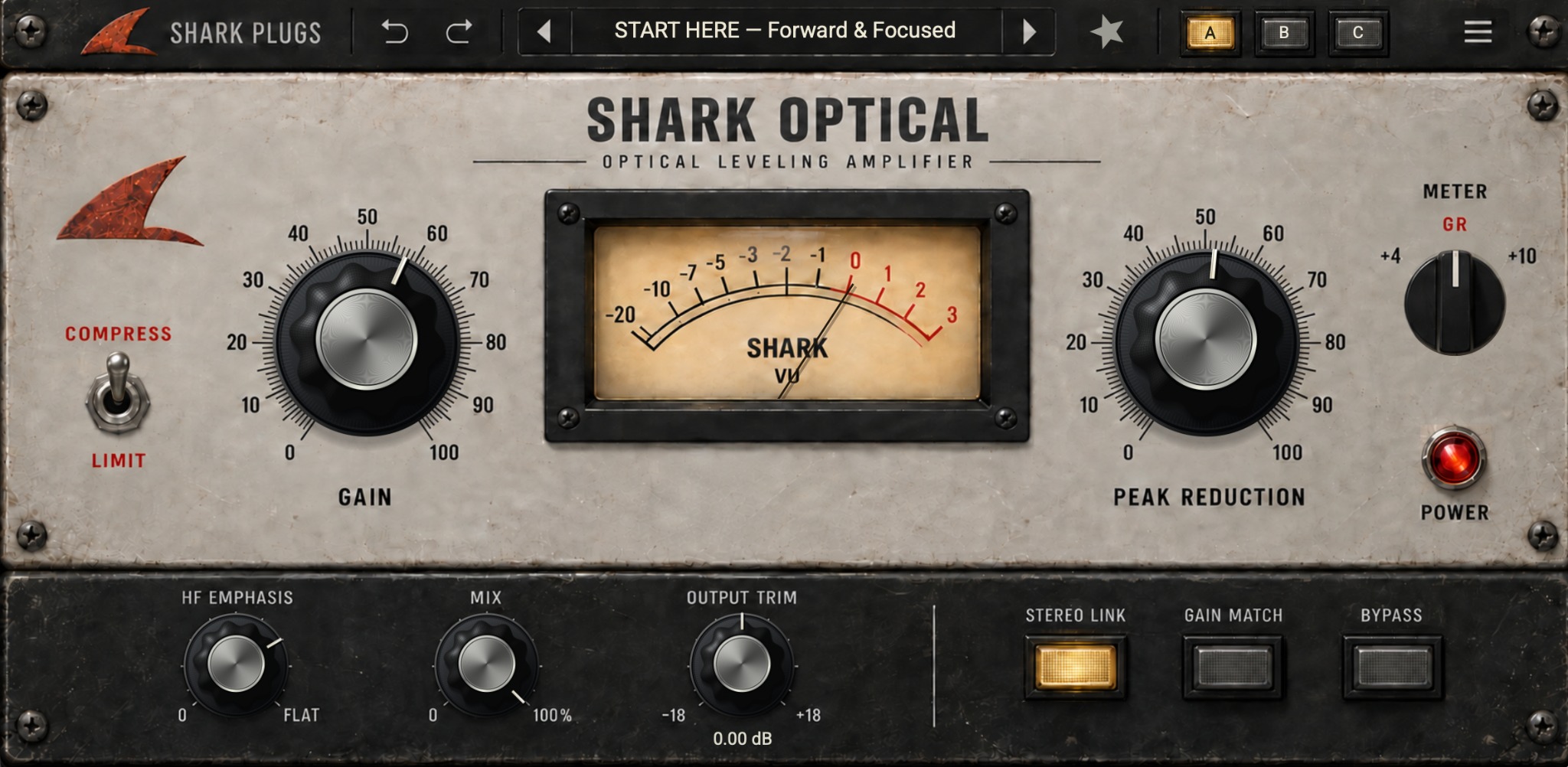
Compress / Limit · HF Emphasis · Parallel Mix · Stereo Link · 60 presets · A/B/C
Peak Reduction sets the compression. Gain restores level without changing the detector. A fast recovery component and slower optical memory let sustained material return gradually.
Use Compress for gentle leveling or Limit for firmer control. HF Emphasis reduces bass influence in the detector. Blend with Mix to bring dry articulation back alongside compressed body.
Gain Match provides a slow RMS-based comparison aid. Stereo Link makes both channels follow the louder detector. A/B/C, undo/redo and Bypass help you revisit each decision.
Browse 60 factory entries for vocals, bass, guitars, keys and groups. Search, mark favorites and save your own settings. Adjust Peak Reduction and Gain to suit the recording.
A control-by-control guide, practical starting points and answers for everyday sessions.
QUESTIONS, ANSWERED
Leveling, detector emphasis, parallel compression and presets.
An optical-inspired compressor for smooth level control on vocals, bass, guitars, keys and groups. Its two main controls are Peak Reduction and Gain; a program-dependent recovery gives sustained material a gradual return.
Load Init - Clean Start. Leave Mix at 100%, Output Trim at 0 dB and Stereo Link on. Raise Peak Reduction until the GR meter shows useful movement, then adjust Gain to compare at a similar level. Around 2-5 dB of gain reduction is a useful listening starting point, not a rule.
No. Gain is after the compression detector. Peak Reduction controls the amount of compression. Gain 50 is unity; its 0-100 scale maps to -40 to +40 dB.
Compress uses a soft-knee response with an approximately 3:1 ratio. Limit increases the ratio to approximately 20:1. Limit is a firmer dynamics mode, not a brickwall or true-peak limiter.
Fully clockwise, FLAT, gives the detector a full-band signal. Turning counter-clockwise reduces bass influence so higher-frequency energy has more relative influence. This changes detection; it does not directly equalize the audio.
Mix blends dry and compressed audio. Gain Match slowly compares RMS levels and compensates after the blend; allow it a few seconds to settle. Stereo Link makes both channels follow the louder detector. Switch it off for independent left/right compression.
There are 60 factory entries, including Init, START HERE, instrument groups and the Pro Engineer Presets section. Compare A/B/C slots, use undo/redo, mark favorites and save user presets. Named banks are preset labels, not claims of third-party endorsement.
The project targets macOS 12 or later and AU/VST3 in mono or stereo. It has no MIDI requirement and reports zero processing latency. Use a compatible installed build in your DAW; source ZIPs must be built first. This guide does not claim Windows, AAX or universal-binary certification.