Give each band its own response.
Set ratio, threshold, attack, release and gain independently. Move MASTER THRESHOLD to adjust the whole mix, then refine the band that needs attention.
TOOLS THAT MOVE SOUND FORWARD.
MASTERING PLUGS / THREE-BAND DYNAMICS
Steady the low end, bring the midrange into focus and shape the top end. Independent compression and expansion meet precise dB scales and direct, tactile controls.
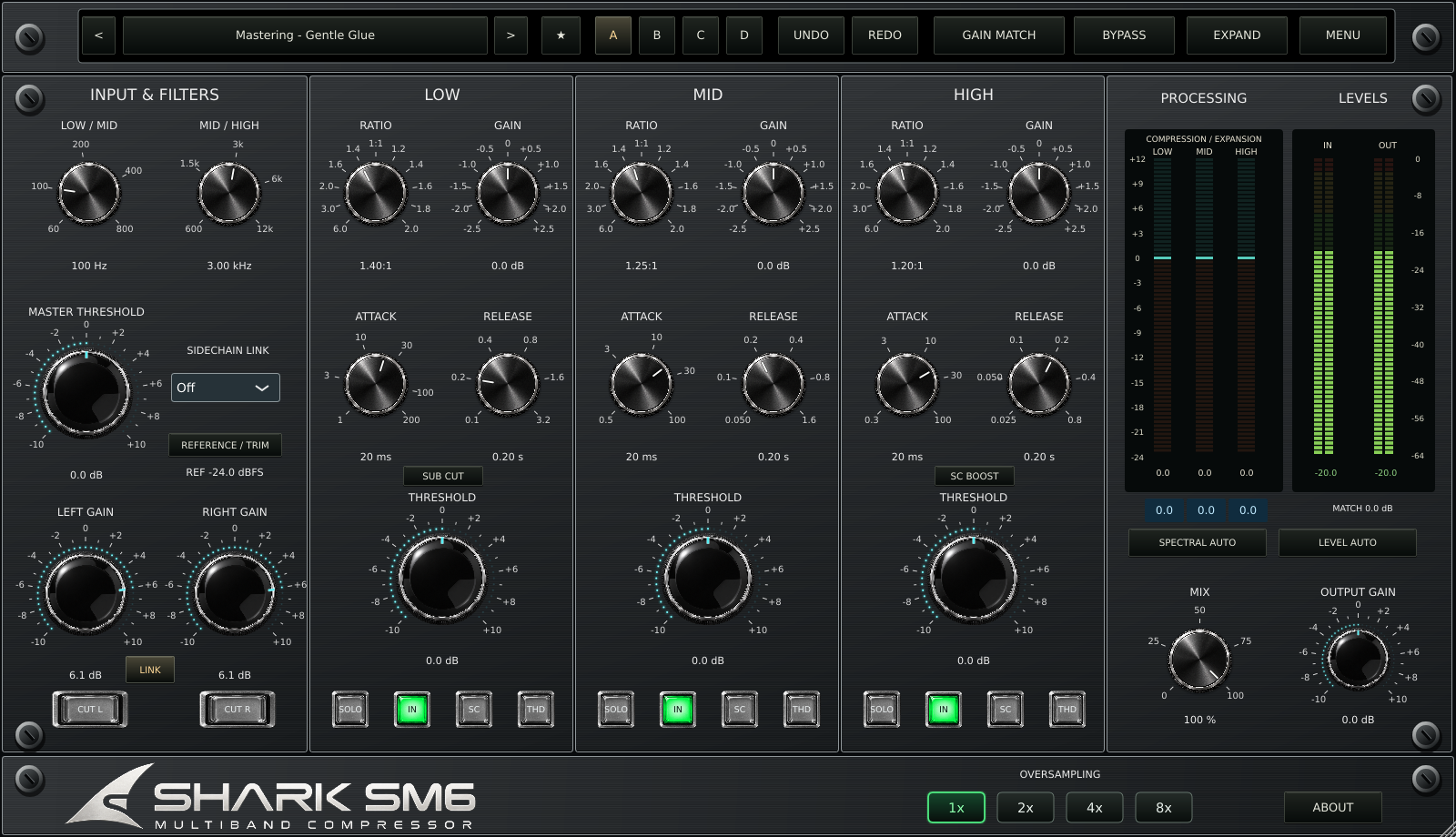
3 bands · Compression / expansion · 104 presets · 6 looks · 1x-8x oversampling
Set ratio, threshold, attack, release and gain independently. Move MASTER THRESHOLD to adjust the whole mix, then refine the band that needs attention.
SOLO auditions processed bands. SC lets you listen to the detector. SUB CUT and SC BOOST shape the detector response without directly EQing the main signal.
Use compression for cohesion or upward expansion for movement. Add THD soft saturation per band and blend with MIX for parallel processing.
Explore A/B/C/D snapshots, Undo/Redo and favorites. Overall gain matching and slow per-band compensation help you assess the changes at useful listening levels.
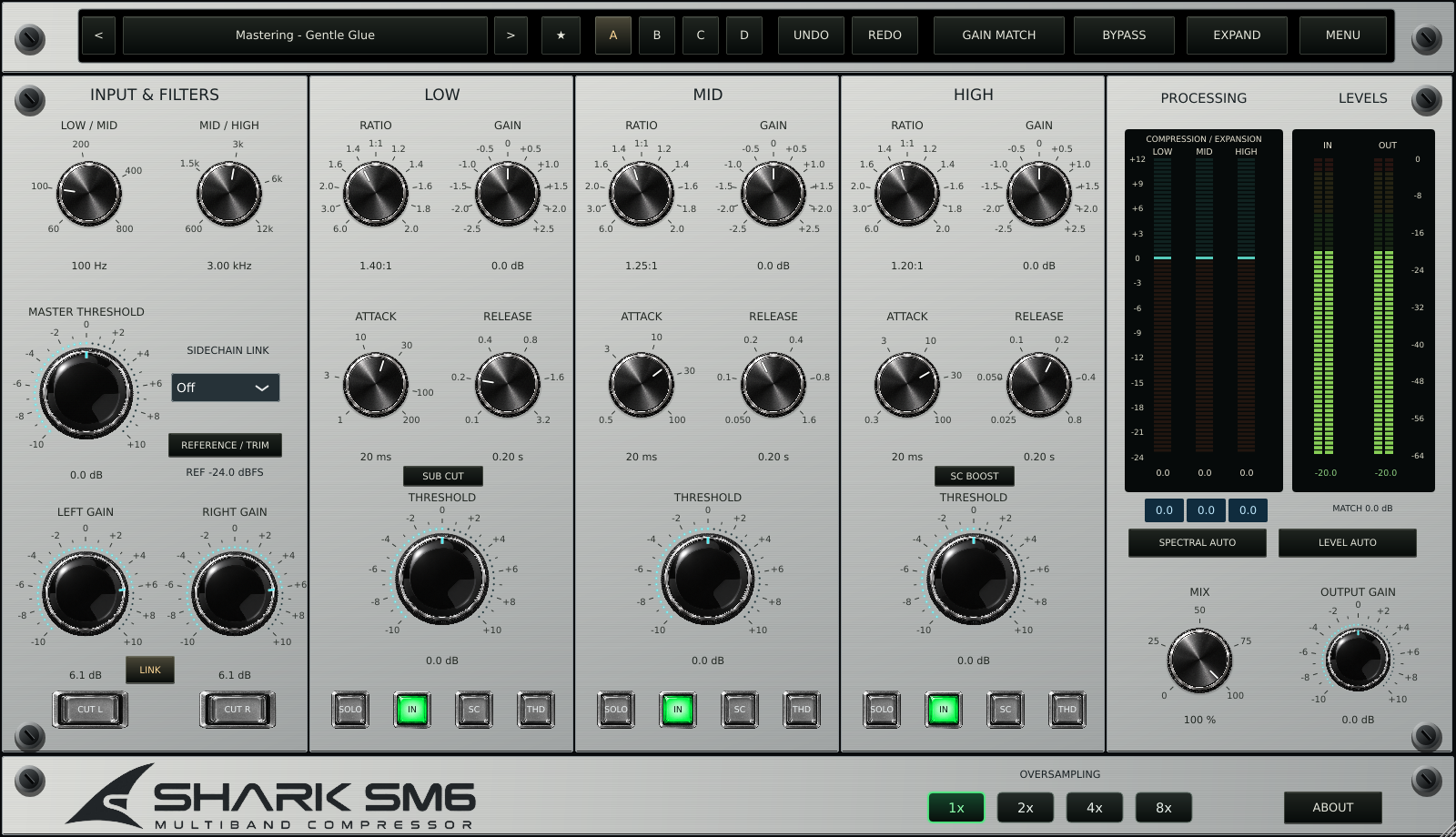
Modern Black and Silver use original Apex knobs. Vintage Black, Silver, Blue and Green bring scalloped controls to the same precise scales. Switch the appearance from MENU or the logo.
An eight-page control and workflow manual, a two-page brochure and an eighteen-question FAQ.
Current edition: v0.3.6 source checkpoint. Installer availability and final Mac/DAW validation are pending.
QUESTIONS, ANSWERED
Thresholds, gain matching, presets and everyday workflow.
An original three-band stereo dynamics processor for mastering, mix buses and tracks. Each band offers compression or upward expansion, timing, makeup gain, monitoring and optional soft saturation.
Neither. SM6 is an original digital design, not a circuit-identical recreation. It does not provide a guaranteed output ceiling or true-peak limiting.
RATIO left of 1:1 compresses, up to 6:1. Right of 1:1 expands, up to 1:2. At 1:1 there is no dynamics gain change.
The reference in REFERENCE / TRIM establishes the base threshold. MASTER THRESHOLD offsets all bands; each band THRESHOLD adds its own offset. The three values add together.
No. Six appearances share the same audio processing and precise scales. Use MENU or click the logo to change looks.
104 factory presets, including 20 in-house Studio Collection designs and four Chart Preset comparisons. Collection names are not celebrity endorsements.
It switches the band dynamics off. Band makeup gain and THD can still affect the signal. Global BYPASS restores the original audio.
SOLO auditions processed bands. SC auditions detector signals, including detector shaping. Multiple selections can combine. Turn them off for a full-mix comparison.
It adds approximately 6 dB to the high-band detector, not directly to the audio. SUB CUT likewise filters the low detector rather than the main audio.
They enable the same overall RMS-energy compensation. Both on does not double it. Compensation is bounded and suspended during SOLO/SC.
It slowly compensates each band within +/-6 dB. Blue displays show the corrections. It relaxes toward zero during monitoring modes.
Use the setting that sounds right and fits your CPU budget. Higher rates can help nonlinear THD processing, but 8x is not automatically necessary. Latency stays constant across modes at a given sample rate.
No. IN/OUT display stereo sample peaks. Use a separate loudness/true-peak meter for delivery measurements.
Yes. The browser supports Save New, Rename and Delete for user presets. Factory presets are protected. A/B/C/D and Undo/Redo support comparisons.
Right-click a knob for typed entry. Shift-drag gives fine adjustment; double-click resets. The readouts display tenths of a dB.
Not in the current v0.3.6 source checkpoint. AU/VST3 projects are configured with macOS 12.0 as the target. Mac compilation and DAW validation are still pending; no trial timer or activation system is included.
Visual updates from 0.3.1 retain parameter ranges and DSP. For 0.2.0 sessions, retain the older plugin and check automation because some ranges changed.
Use the resources at sharkplugs.com. Report your version, OS, DAW, plugin format, sample rate, buffer size and exact reproduction steps.